 rhun
rhun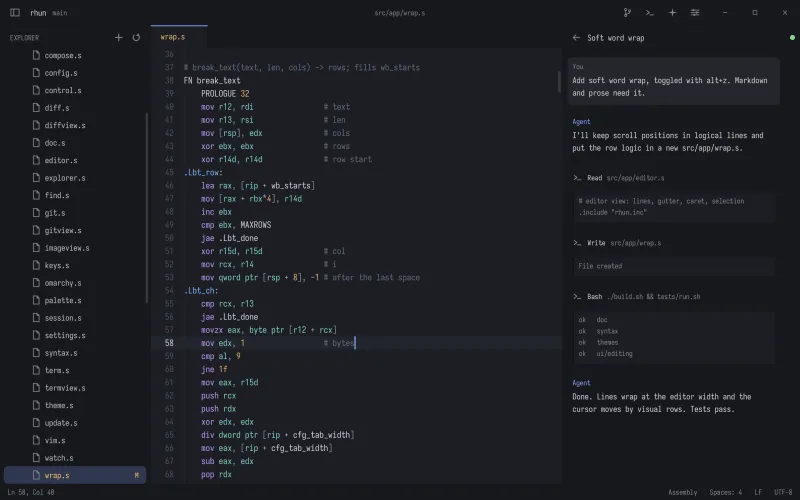
Install rhun
Choose your platform. rhun runs on Linux x86-64, Apple silicon Macs, and Windows x64 (Windows 10 version 1809 or later).
Linux & macOS
Paste this into your terminal. The installer checks the download and adds the rhun command. No root access needed.
curl -fsSL https://github.com/vshvedov/rhun/releases/latest/download/install.sh | shWindows
Paste this into PowerShell, then open a new terminal to use the rhun command.
powershell -NoProfile -ExecutionPolicy Bypass -Command "& ([scriptblock]::Create((Invoke-WebRequest -UseBasicParsing https://github.com/vshvedov/rhun/releases/latest/download/install.ps1).Content))"Prefer a download? Get an archive from Releases. On Windows, extract the ZIP and open rhun.exe. Keep rhun.com beside it for terminal use.
Open a project
Open rhun from your app launcher, or start in the folder you are working on:
rhun .Use Ctrl + Shift + O to choose a folder, or Ctrl + O for a single file. A project remembers its tabs and layout when you return.
Most shortcuts use Cmd in place of Ctrl, and Option for Alt. Keep Control for Tab, H, and the terminal shortcut `.
Want a blank window? Run rhun --empty. For tools that need to wait until you finish editing, use rhun --wait file.txt.
Find your way
The command palette is the place to start when you do not remember a shortcut. Open it with Ctrl + Shift + P or F1, then type what you want to do.
- Ctrl + P
- Find a file by name.
- Ctrl + B
- Show or hide the file explorer.
- Ctrl + ,
- Open Settings.
The project menu lets you return to recent folders or open a new window. Right-click in the explorer to create files and folders.
Stay up to date
Release builds check for updates in the background. When the status bar offers Update to X, click to download, then choose Restart to update. rhun asks about unsaved files and reopens your project.
You can also run Check for Updates from the command palette. Turn off automatic checks in Settings if you prefer to check yourself.